Enhancement One
The first enhancement is centered around Data Display and Activity. For this I took my main calendar screen and completely revamped it. Originally it featured only the month of August 2024, I updated it to handle all twelve months of the year and began the process of storing all my data in a nested hashmap. My goal was to show that I could create a user friendly design that allowed them to move through each month of the year by changing the logic of my code to be user friendly.
Calendar Screens
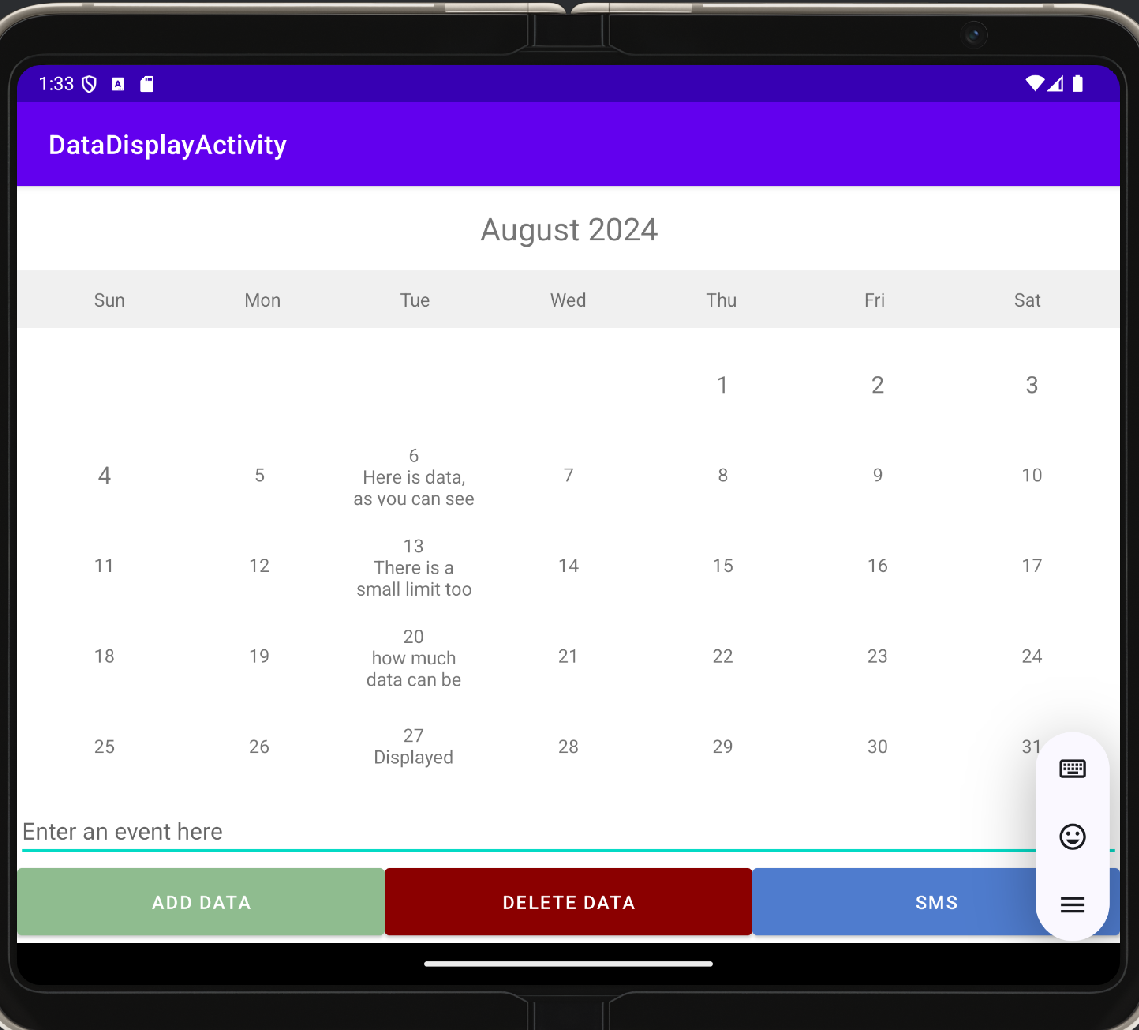
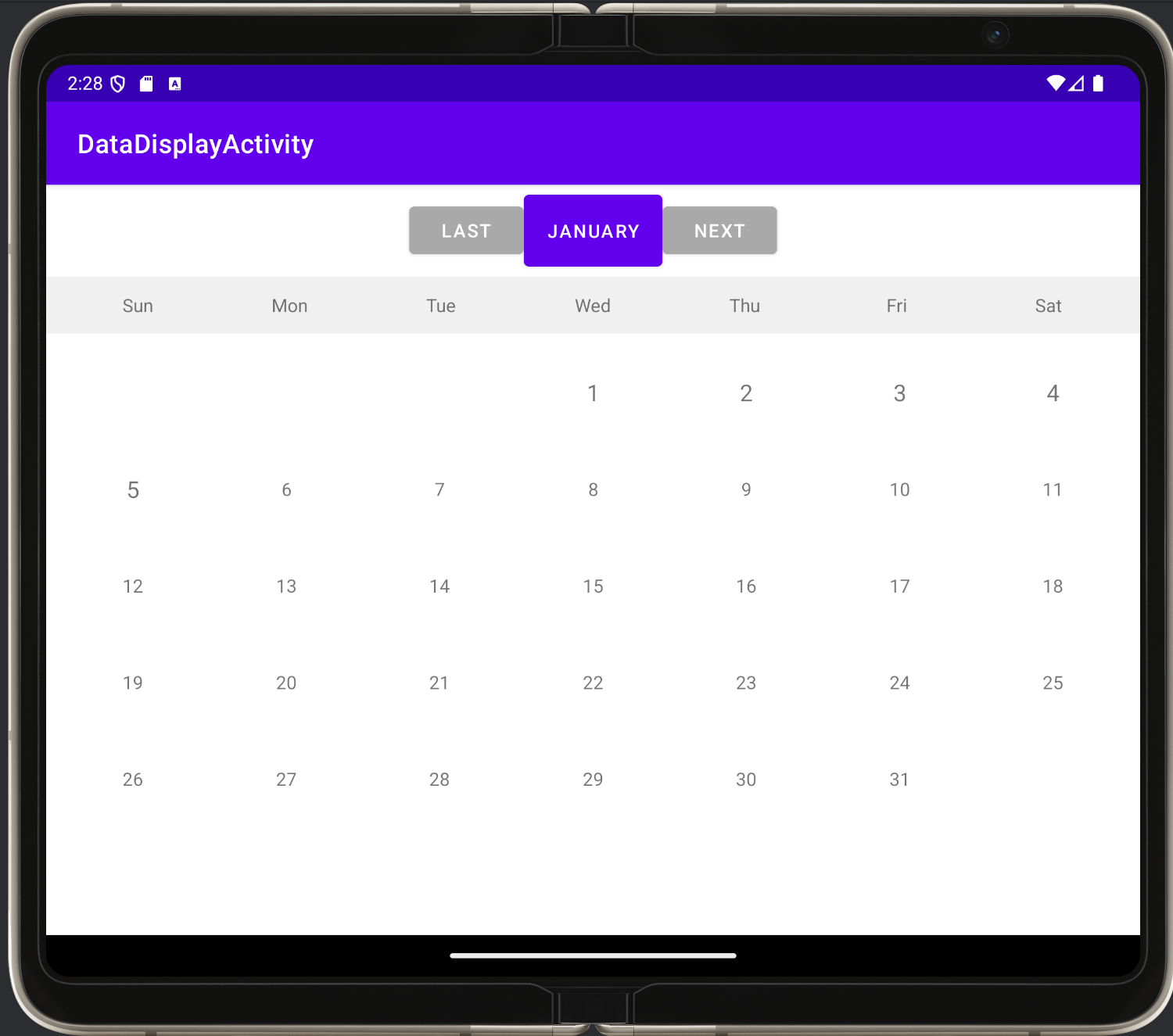
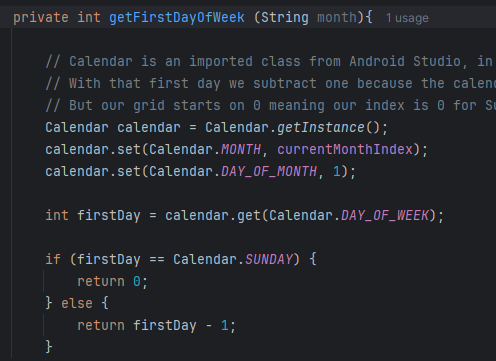
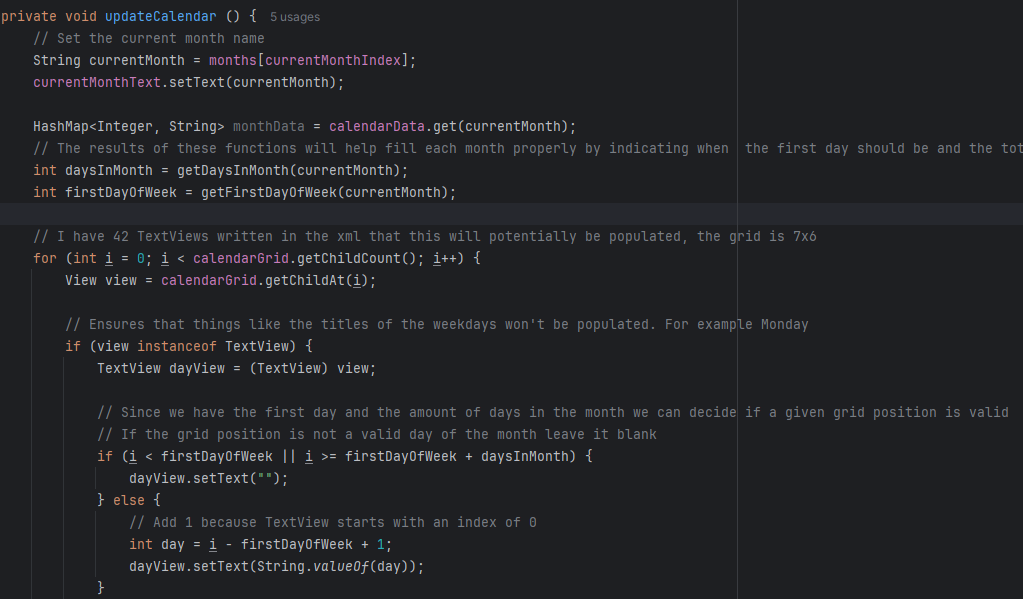
Below is both the original and updated screen for the calendar app. The left is the original only featuring August and you can see the cluttered buttons and lack of understanding I had at the time. On the right, is the new updated screen that allows users to switch through any month in this calendar year. The buttons were removed to help improve the user experience on this main screen, instead clicking a day would now take users to a unique day page. To achieve this I removed the buttons from the xml file and added a 6x7 grid. To populate the grids I created functions for finding where the first day of the month would fall on and how many days are in a month. Then I created the function that populates the days of the months, here is what that looked like originally and updated.
Editing / New Page
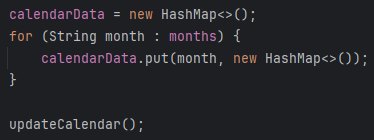
My initial project's logic used the add button, delete button, and the active listener all tied to each individual grid text view. To combat this I wanted to separate the responsibilites by creating a separate page for user data and for the days of the months. This enhancement focused on getting rid of the buttons which can be seen in the screenshot below and creating logic to handle populating each month of the year. Knowing I wanted to later store user data using these months and days my solution was a nested hashmap. I'll show this created hashmap below and a basic functionality to switch the months, there will be no before pictures since there was no population logic for the month it was just hardcoded before.


Calendar Days
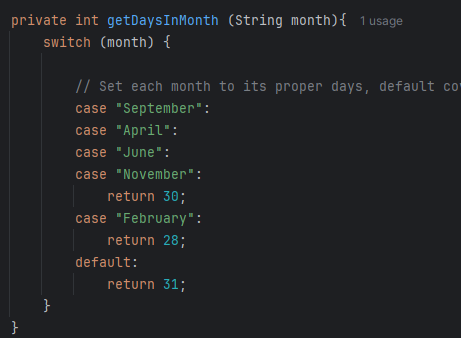
To tie this all together, during this enhance I had to create my update calendar function that would update the calendar when navigated between months. This step involved creating a function that took the days of the month and the first day of the week and then populated the calendar text views. The first day of the week I created a function for and the days in each month I created a switch statement for. The updateCalendar function will iterate through each textview for the month and fill any views not in the month to be blank and any view in the month to be 1-x.
Outcomes
The outcomes I met with this enhancement begin with my ability to design, develop and deliver quality communications for my given audience. I made use of solid coding techniques revolving around my comments and documenation and provided strong communication in the form of my github page and word document. My next outcome was demonstrating my ability to use innovative techniques and skills to implement a quality solution. The way I wrote in the calendar functionality is concise and clear while being an easy experience for a user of any type. I began making use of my nested hashmap to condense my code and implemented features to enhance user experience such as easy navigation and formatting.